
The Gift of Travel
A closing gift that extends your service past the closing table. Give your buyers and sellers the gift of travel, personalized with your name and planned personally through Curated by Collins.
A Closing Gift Your Client Will Remember
You select a gift amount and receive beautifully printed gifts featuring your name. When your client closes, you present the gift of travel: the getaway that follows the closing, planned personally. They reach out to me within 12 months to design their trip, and I manage the entire process from first conversation to booked itinerary.
The Presentation
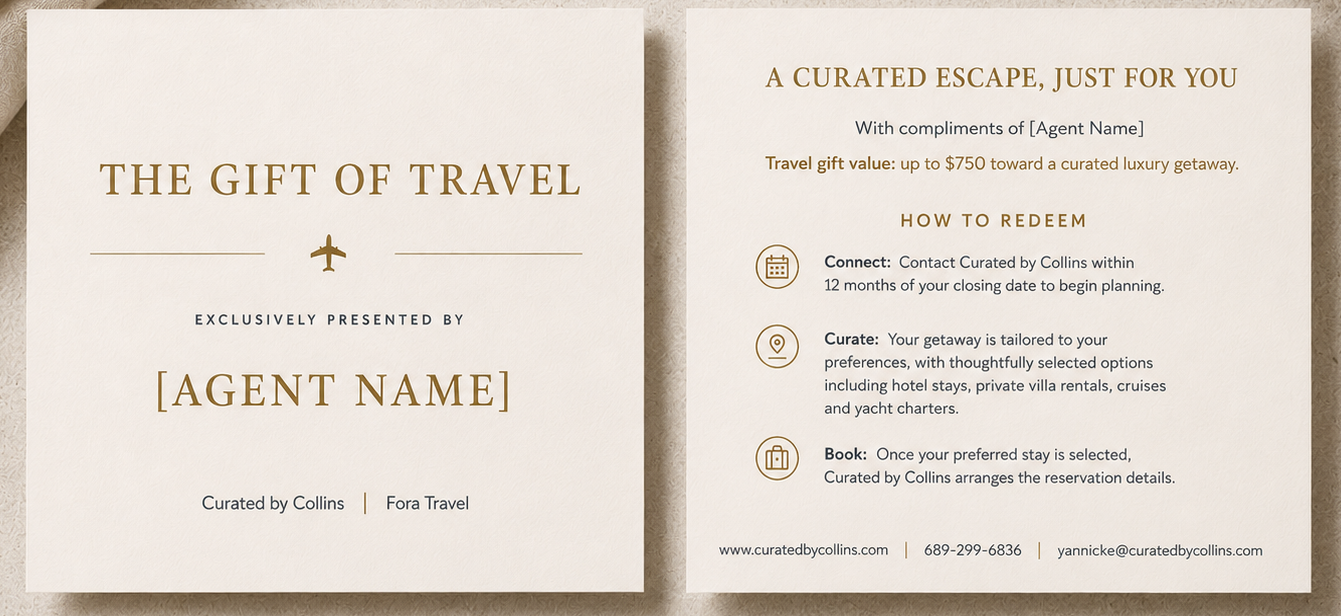
Sample shown. Your name or team name appears on your gifts.
A Gift for Every Closing
Gift amounts are yours to set, for a single closing or across your whole book of business. You confirm your amount when we set up your partnership.
How the Partner Program Works
Begin Your Partnership
Select your gift amount above and complete the form: your card is stored securely in Fora's PCI-compliant Vault, your client is added as the associated traveler, and the closing date and your authorization go in with it. I design your co-branded gifts from there. No upfront cost.
Delivered to Your Office
Each gift arrives printed on heavy-weight stock in a presentation envelope, ready for closing day.
Present at Closing
You hand your client a gift with your name on it at one of the biggest moments of their year. They reach out to me within 12 months to start designing their trip.
Payment at Booking
When your client confirms their itinerary, your card on file covers the gift amount, and the full amount is applied to their trip.
Partner Program Details
What types of travel can my clients book with their gift?
Clients can apply their gift toward luxury hotel and resort stays, private villa rentals, ocean and river cruises, and private yacht charters.
What added value do my clients receive beyond the dollar amount?
Through my partnerships with luxury hotel brands, boutique cruise lines, and villa operators, including Virtuoso, Four Seasons, Rosewood, and Hyatt Privé, your clients may receive exclusive VIP amenities. These often include complimentary daily breakfast for two, room and suite upgrades upon arrival, $100 resort, spa, or food and beverage credits, and early check-in and late check-out.
Are the gifts personalized?
Yes. Every gift is personalized with your name or team name, printed on premium heavy-weight stock, and presented in an elegant envelope ready for closing day.
Is there a limit on how many gifts I can order?
No. Whether you close two properties a year or lead a team closing dozens of transactions a month, I tailor the gift volume to your business.
How and when am I charged for the gift?
Payment runs through Fora's secure, PCI-compliant Vault. During onboarding, you store your card details once. Your card is charged only when your client confirms their travel itinerary. There are zero upfront costs to set up your partner account or receive your printed gifts.
What happens if my client does not redeem their gift within 12 months?
Because your card is charged only upon booking confirmation, you are never charged for unredeemed gifts. If a client lets their gift lapse without booking, no funds ever leave your account.
How do I get started as a partner agent?
Select your gift amount above; each amount has its own intake form, and instructions appear before you begin. I prepare your custom gifts and send them to your office.
Become a Partner Agent
Select your gift amount above to begin. Instructions appear before you start, and your card is stored securely in the Fora Vault. I take it from there.